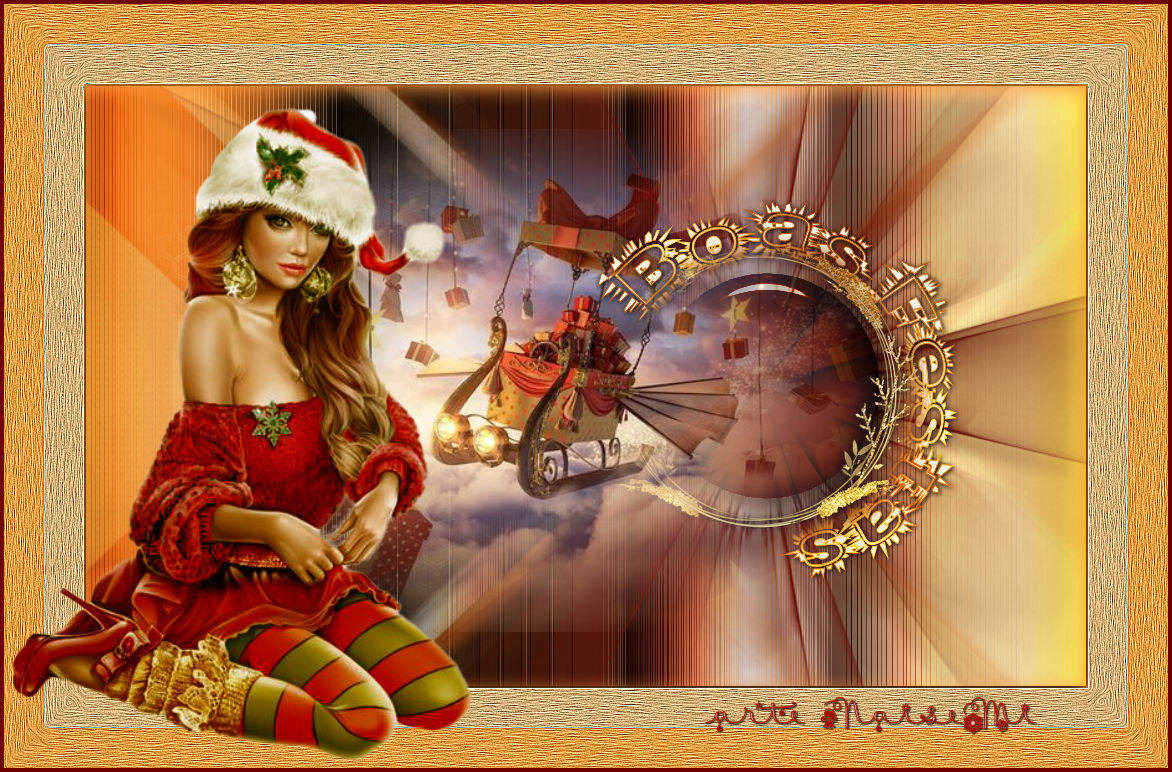
Materials
Tube of my own creation
Mask - Nara (thank you)
Mask of my own creation
Misted of my own creation
Title
Eye Candy Texture and Impact presets: just double-click and they will be imported automatically
Selection of my own creation

Plug-ins
Eye Candy 5 Texture - Swirl
Eye Candy 5 Impact - Glass
Instructions.....
 |
Use the arrow to mark your line
Click with the mouse to move it
|
1_. Open a new transparent image of 1000 x 600 px.
2_. Fill with the JCobblestone gradient, Linear (or another of your choice), with the settings below.
If you use another gradient, the background will not look the same.
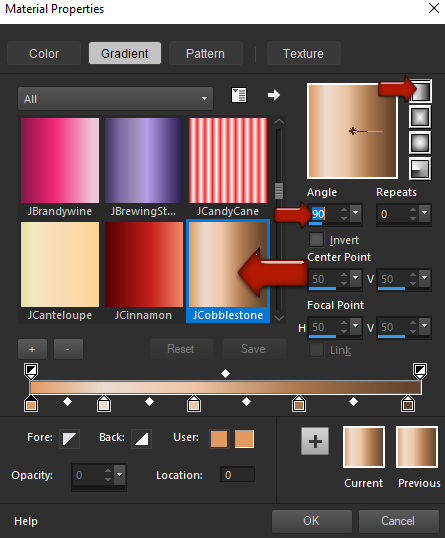
3_. Effects → Texture Effects → Sandstone, with the settings below:
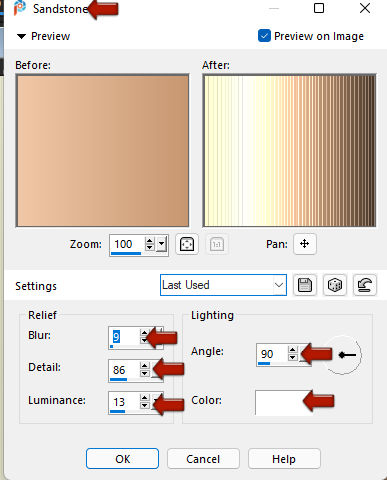
4_. Layers → Duplicate.
5_. Close the visibility of layer Raster 1.
6_. Image → Mirror → Mirror Horizontal.
7_. Layers → Load/Save Mask → Load Mask From Disk: boasfestas_naisem.
Layers → Merge → Merge Group.
8_. Layers → Duplicate.
9_. Image → Mirror → Mirror Horizontal.
10_. Layers → Merge → Merge Down.
11_. Effects → 3D Effects → Drop Shadow: 10 / 16 / 100 / 28.99 - color #000000.
12_. Turn the visibility of layer Raster 1 back on.
13_. Layers → New Raster Layer.
14_. Fill with a solid color.
15_. Layers → Load/Save Mask → Load Mask From Disk: NarahsMasks_1670.
Layers → Merge → Merge Group.
Effects → 3D Effects → Drop Shadow, choosing any color you like in Color:
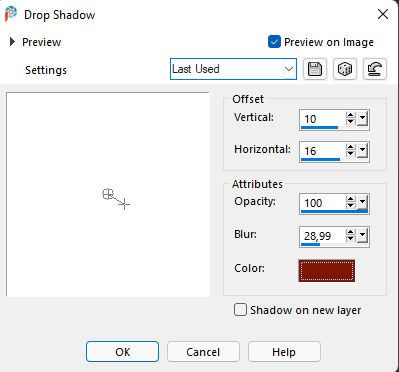
16_. Image → Mirror → Mirror Horizontal.
17_. Selections → Load/Save Selection → Load Selection From Disk: boas_festas_naisem.
18_. Layers → New Raster Layer.
Fill with the solid color #97220e.
Selections → Select None.
19_. Effects → Plugins → Alien Skin Eye Candy 5 Impact → Glass: preset prest_boasfestas-1.
20_. Layers → Properties → Blend Mode: Multiply.
Selections → Select None.
Layers → Merge → Merge Down.
21_. Open deco_boasfestas_naise: Edit → Copy.
In your work: Edit → Paste As New Layer.
If you wish, apply a Colorize.
22_. Effects → Image Effects → Offset, with the settings below:
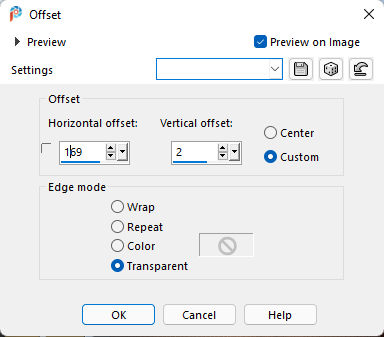
23_. Open your misted: Edit → Copy.
Apply it to your work.
24_. Image → Add Borders → Symmetric checked:
2 px - color #000000
40 px - light color #c1a48b
40 px - the color that predominates in your work #642414
25_. With the Magic Wand tool, select the two 40 px borders.
26_. Effects → Plugins → Alien Skin Eye Candy 5 Textures → Swirl: preset preset_boasfestas.
27_. With the selection still active: Effects → Edge Effects → Enhance More.
Effects → 3D Effects → Drop Shadow: 0 / 0 / 100 / 100 - with the color you applied on the last 40 px border (#4e100a).
28_. Apply your title (titulo boas-festas) as you wish and apply a Colorize to your liking.
29_. Apply your tube.
30_. Sign your work.
31_. Save as JPG.
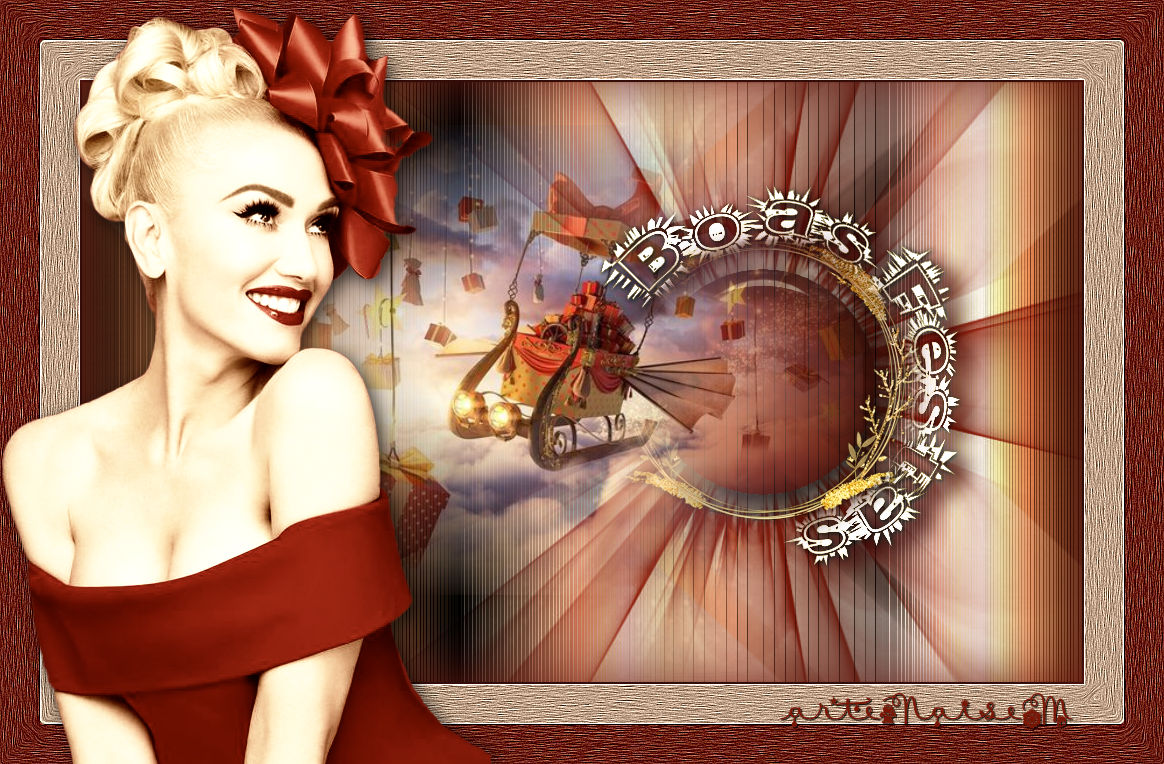
ANOTHER MODEL
In this one I used the gradient jAutumnDeligth.