|

PSP 2018 used
Works in any other PSP

Materials used
PSP tools
Tubes
Misteds
Texts
Selection
Tube Icon3: save in the tubes folder
Preset: double-click it and it will be automatically transferred to the Eye Candy Impact 5 folder

Plug-ins
Plug-in VM
Toolbox
Mehdi
Plug-in
Eye Candy 5 Impact
Instructions.....
 |
Use the arrow to mark your line
Click with the mouse to move it
|
1_. Open a new transparent image of 800 x 600 px.
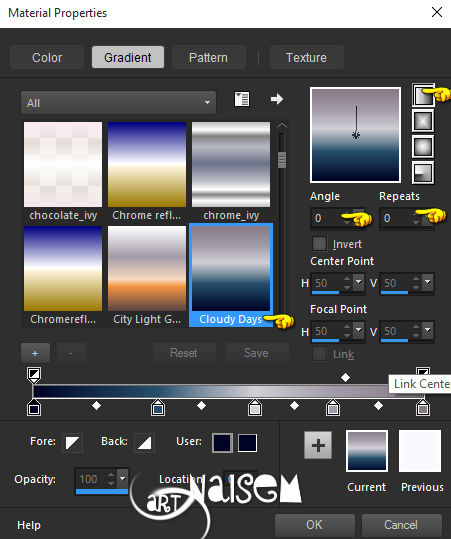
2_. Fill with the Cloudy Days gradient, from PSP itself, or with another similar gradient: Linear / Angle 0 / Repeats 0.
3_. Effects → Plugins → Mehdi → Sorting Tiles, with the settings below.
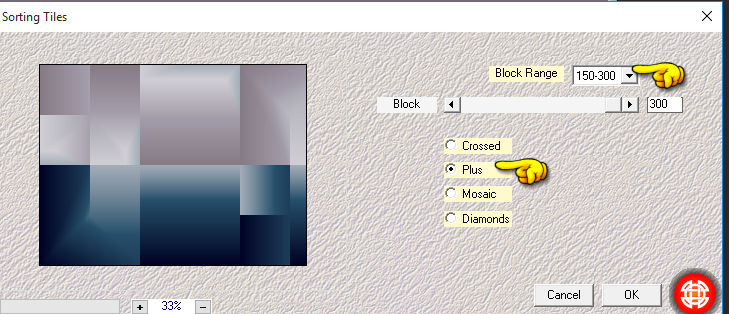
4_. Repeat the same plugin Mehdi → Sorting Tiles, now with the Crossed effect, but with the same settings.
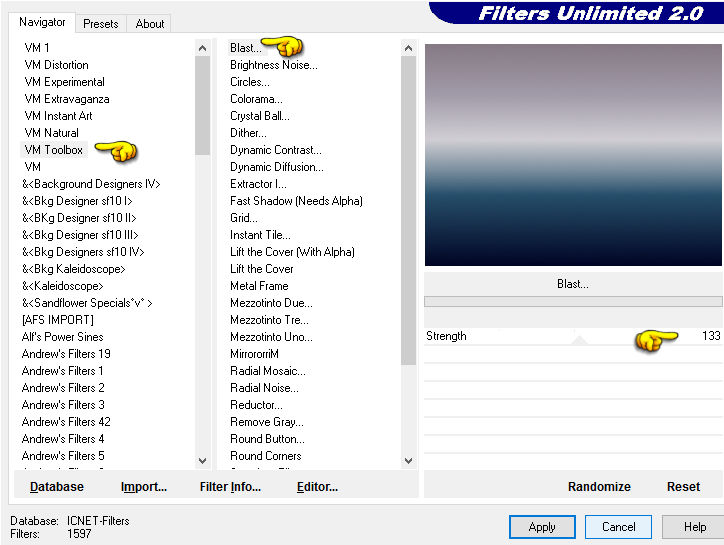
5_. Effects → Plugins → Filters Unlimited 2.0 → VM Toolbox → Blast: Strength 133.
6_. Layers → New Raster Layer.
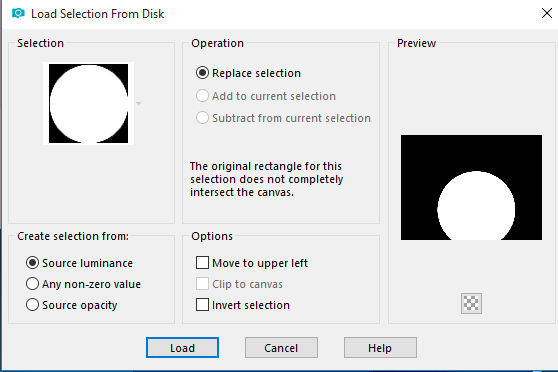
7_. Selections → Load/Save Selection → Load Selection From Disk: #selecao_boas-festas.
Fill with the solid color #254c68.
Open the chosen image: Edit → Copy.
In your work: Edit → Paste Into Selection.
Effects → Plugins → Alien Skin Eye Candy 5 Impact → Glass: preset #_boas-festas.
Note: in Basic → Glass Color, choose any color you like.
Selections → Select None.
8_. Layers → New Raster Layer.
Fill with the color #ffffff.
Layers → Load/Save Mask → Load Mask From Disk: mask_boas-festas.
Layers → Merge → Merge Group.
Effects → 3D Effects → Drop Shadow: 1 / 1 / 100 / 1,00.
9_. Image → Add Borders → Symmetric checked: 45 px - color #ffffff.
10_. Layers → New Raster Layer.
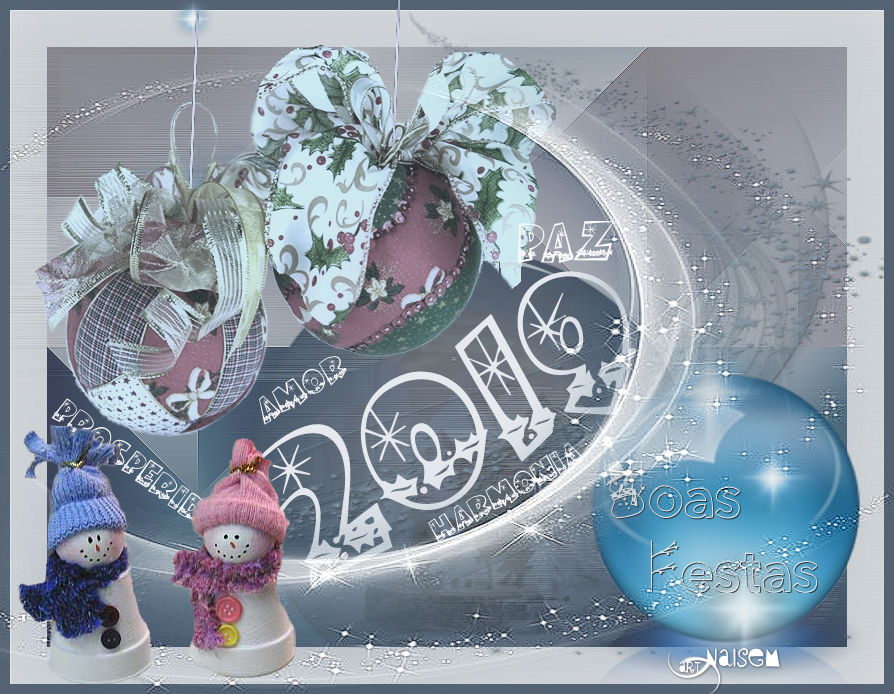
With the Picture Tube tool, apply tube-icon3 on the right side, in the desired color, at this scale:

Apply titulo_globo and, with the Pick tool, adjust it to your liking.
If you wish, apply the flare tube, which comes with PSP.
11_. Layers → New Raster Layer.
Fill with the color #ffffff.
Layers → Load/Save Mask → Load Mask From Disk: mask_boas-festas 02.
Layers → Merge → Merge Group.
Image → Mirror → Mirror Horizontal.
Apply titulo_2019 and, with the Pick tool, adjust it to your liking.
If you wish, write words such as Peace, Harmony, Health, Love and place them randomly.
12_. Image → Add Borders → Symmetric checked: 9 px - color #48596f.
13_. Apply your tubes as you like.
14_. Sign your work.
15_. Save as JPG.
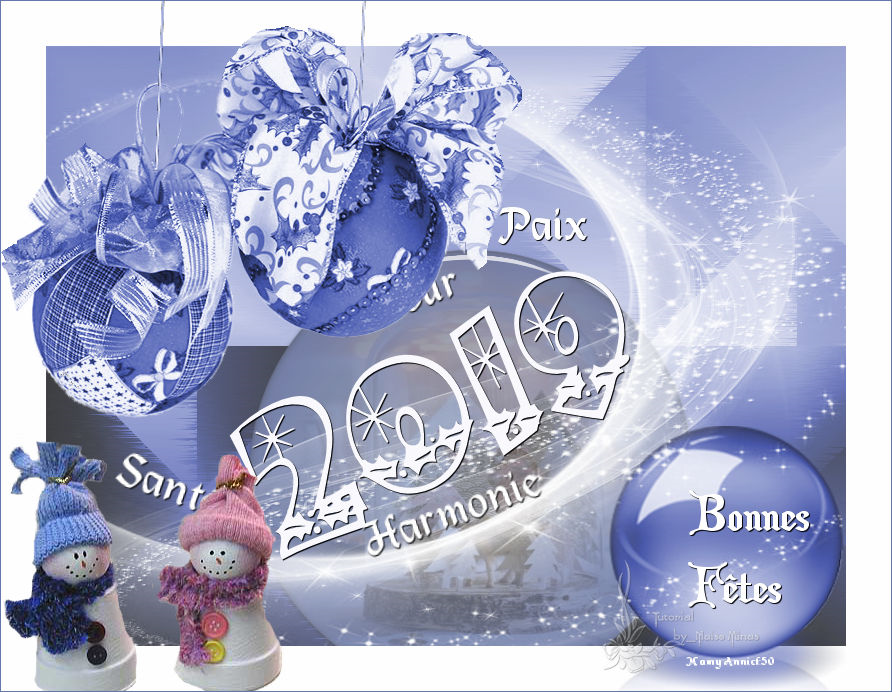
ANOTHER MODEL

Readings
13/12/2018
|