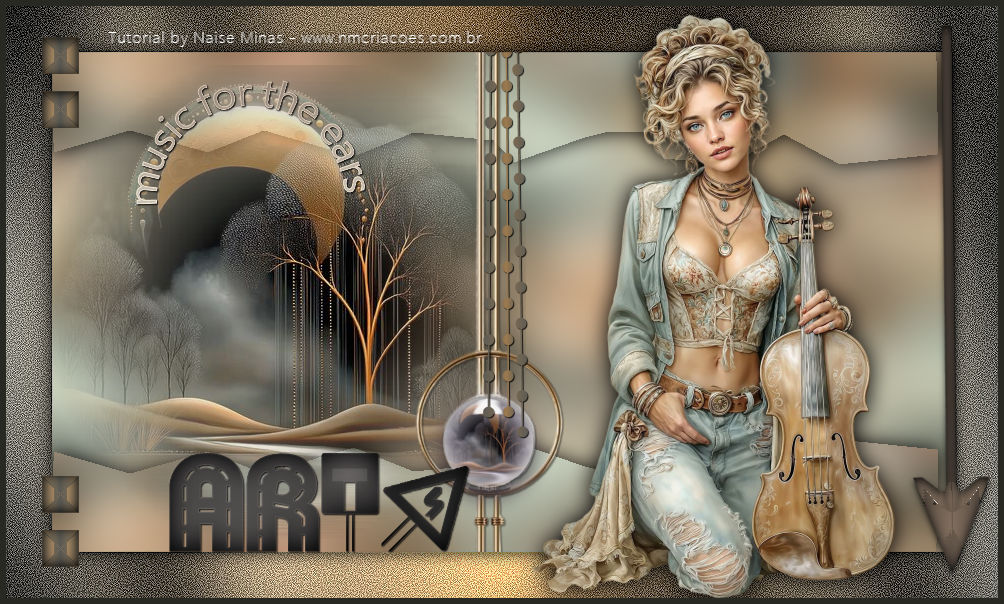
This tutorial was created by me and any resemblance is
purely coincidental.
Thanks to all translators.
Thanks to Liriani Silva for testing my tutorials.
Material: Tube / decos / title / mixed / Alpha Channel

Plug-in:
Filter Unlimited 2.0 - Graphics Plus

Note: If you are using my image, create a 90° Free Rodate:
1. Open your chosen image - Edit Copy
2. Open Alpha_artes
Selections - Select all - Edit - Paste into - Select None
3. Effects - Image - Seamless Tiling - Default
4. Adjust Blur - Gaussian Blur - in the settings below
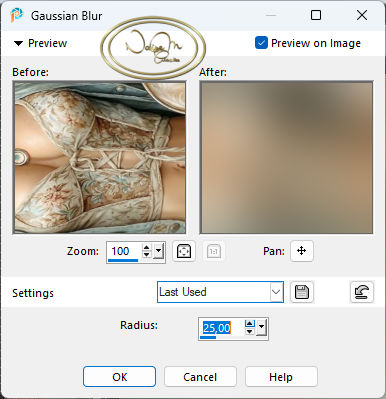
5. Apply the alphaartes_1 selection
Selections - Promoter To Layer
6. 3D - Drop Shadow at: 0/0/86/20,19
Selections - Select None
7. Duplicate
8. Image - Mirror - Mirror Vertical
Layer - Merge Down
9. Open your misted layer - Edit, copy, and paste as New Layer
10. Objects - Align - Left
11. Open deco1 - Edit Copy - Edit Paste As New Layer
With the Pic Tool - X:362 and Y:-44
12. Apply the selection alphaartes_2
Edit copy in the misted layer again and paste into
13. Apply the #preset_artes - from Eye Candy 5 Impact Glass
Selects select None
14. Image - Add Border - Symmetric Checked
size 46 color #ffffff
15. With the Magic Wand Tool - Tolerance and Feather at 0
Select this border
16. Create a Linear gradient - Foreground: color #5c5b55 - Background #9c7a4e
in the settings below
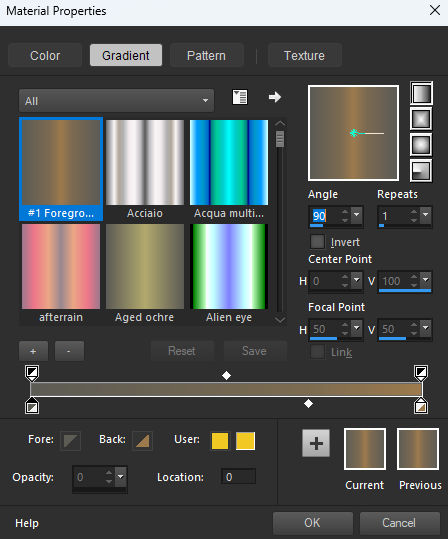
17_.Filter Unlimited 2.0 - Graphics Plus - Cross Shadow
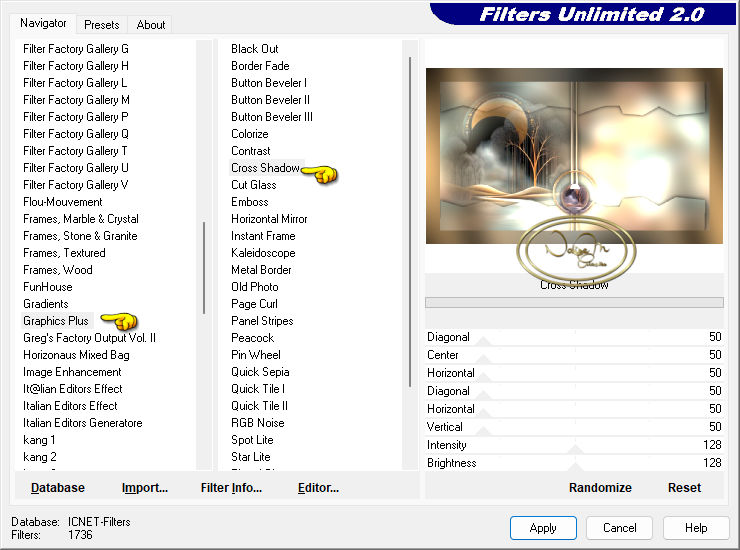
Add/Remove Noise - Add Noise in the settings below
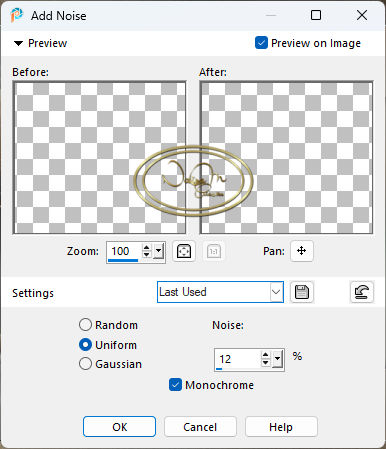
19. Effects - Edges - Effects Enhance
Selections Invert
Drop Shadow 0/0/100/65,12
Select None
20. Open your deco2 - Edit, Copy and Paste as New Layer
Pic Tool X:904 and Y:12
21. Open your deco3 - Colorize as desired
Edit, Copy and Paste as New Layer
Pic Tool X:485 and Y:41
22. Open titulo_artes - Edit, Copy and Paste as New Layer
Pic Tool X:163 and Y:446
Colorize as desired
23. Open titulo2 - Edit, Copy and Paste as New Layer - Colorize as desired
Pic Tool X:129 and Y:74 - Drop Shadow I like it
"Optional - to include or not include this title
24. Open your deco4 - Edit copy - Paste as new layer
Pic Tool X:36 and Y:31
25. Duplicate
Pic Tool X:36 and Y:85
Click the M key to remove the mark
Merge Down
26. Duplicate again
Image mirror vertically
Merge Down
27. Open the main tube - Edit copy and paste as New Layer and adjust to your liking
Add a drop shadow to your liking
28. Image Add Border - Symmetric checked
Size 6 color #282923
29. Sign
30. Export as JPG
05-03-26 |