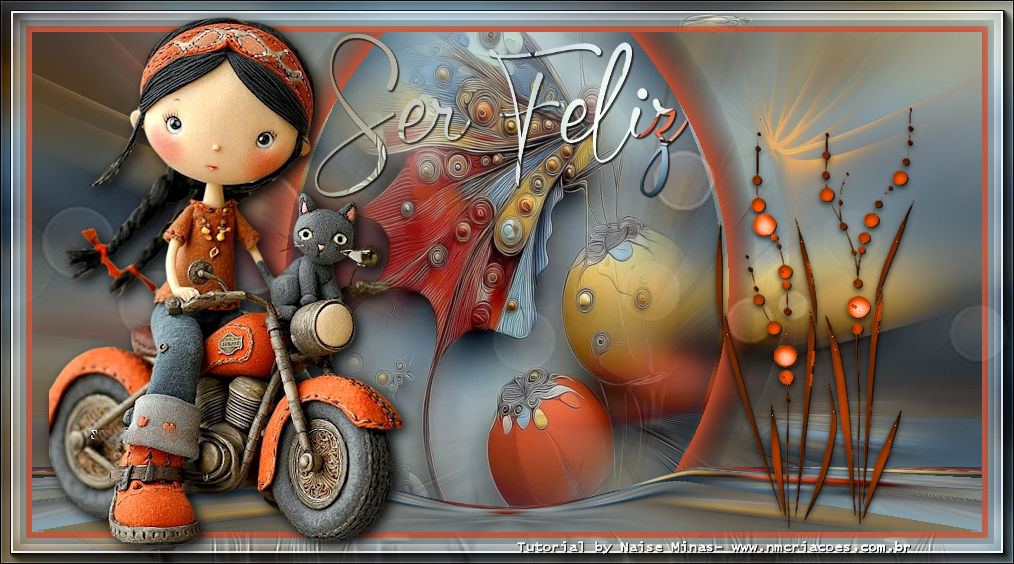
This tutorial was created by me and any resemblance is purely coincidental.

Thanks to all translators.

Thanks to Liriani Silva for testing my tutorials.

Materials:

Tube / decos / mask (author unknown)


Plug-in:

 MuRa's Filter Meister Perspective 1.1

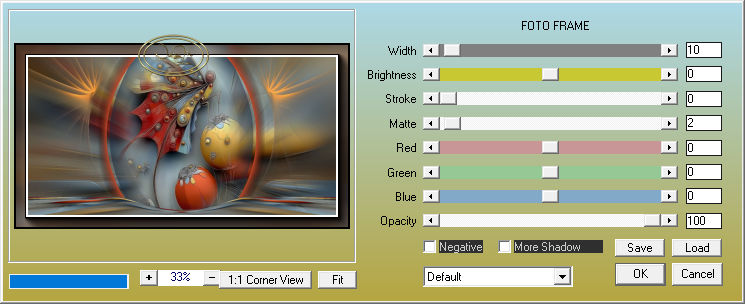
AAA Frame - Photo Frame


 1. Open your chosen image - Edit Copy
2. Open a transparent image of 950x500
Selections: Select all - Edit Paste into
3. Adjust Blur - Radial Blur in the settings below
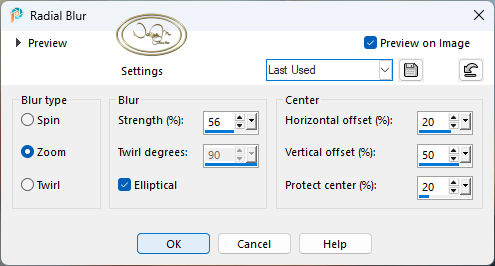
Edge - Enhance
Selections - Select None
4. Duplicate
5. Plugins - MuRa's Filter Meister Perspective 1.1 in the settings below
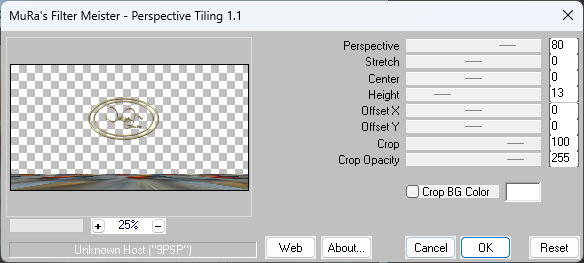
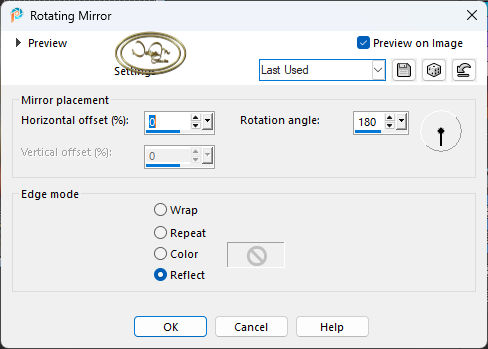
6. Effects - Image - Rotating Mirror in the settings below
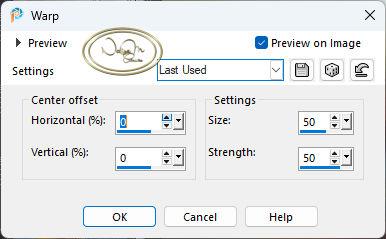
7. Effects - Distortion - Warp in the settings below
8. Open deco1 - Edit Copy and In your work, Edit Paste As New Layer
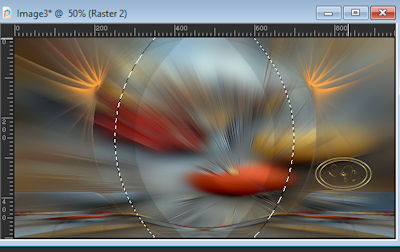
9. With the Magic Wand Feather tool 50 - Select the center

10. Layers - New Raster Layers
Choose your chosen layer - Edit copy and Paste into
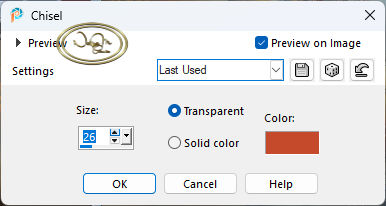
11. Effects - 3D Chisel in the settings below
  • Selections - Select None
    12. Click on the copy of raster 1
    Layer - Layer Arrange Move Up
    13. Click on the top layer
    Open Decor 2 - edit copy - Edit Paste As New Layer
    Layers Merge Down
    14. Image - Add border - Symmetric checked
    Size 6 color #ba4620
    Size 6 color #96a1a3
    Size 20 color #ffffff
    15. Edit copy in image-2
    16. With the Magic Wand Feather tool 20 - Select the white part
    Edit paste into
    17. Plug-in AAA Frames - Photo Frame

  • Selections - Select None
    18. Layers - New Raster Layer
    Apply the color #ffffff white
    19. Apply the Mask F_mask 0316_02
    Layer Merge Group
    20. Layers - Property - Blend Mode Soft Light
    21. Open Deco3 - Edit copy and paste as New Layer in the work
    22. Colorize August
    Pic Tool - X:702 Y:110
    23. Open your tube - Edit Copy in the work and adjust where desired
    If using my tube, resize by 90%
    Drop Shadow to taste
    24. Open your title - Edit copy
    With the Pic Tool x:322 and y:300
    25. Sign
    26. Export as JPG


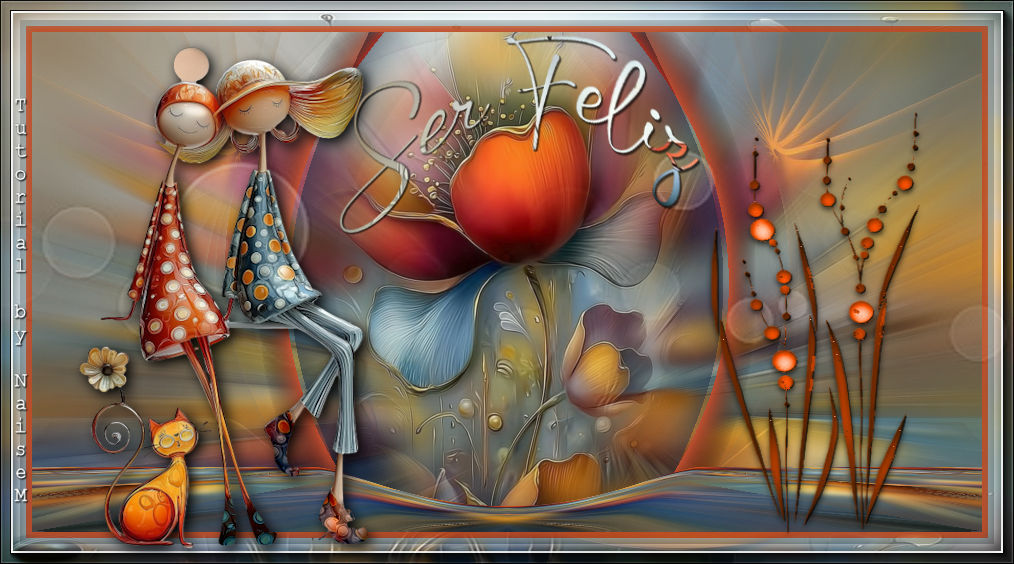
    Another Model
    I applied the title to my liking


    05-03-26