|
Ubuntu UBUNTU
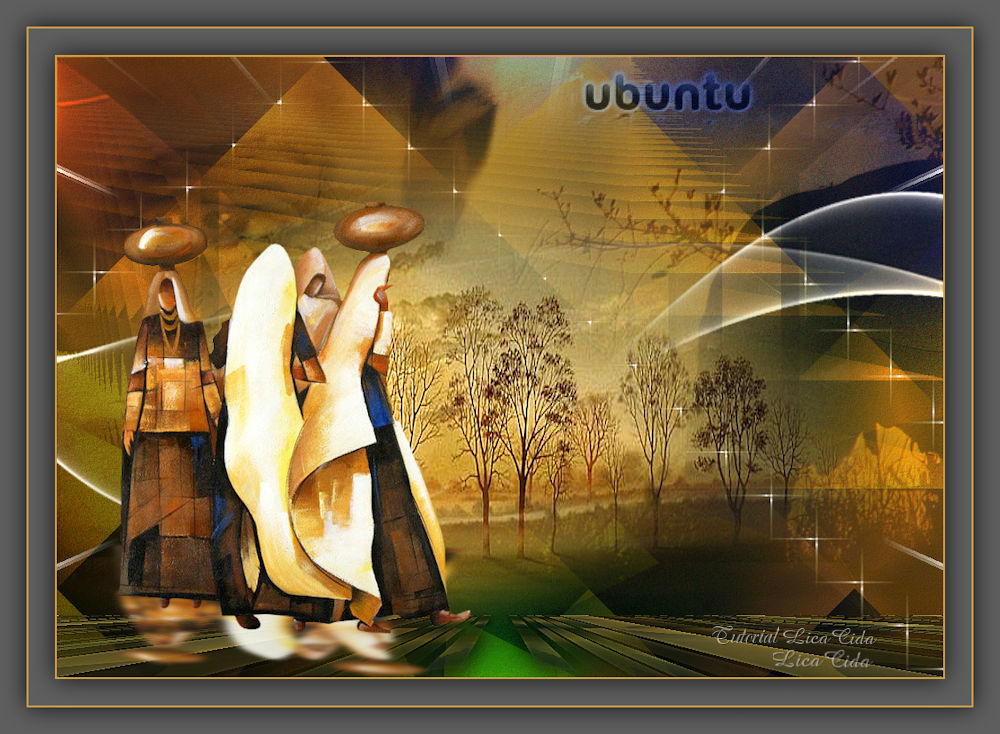
Ubuntu é uma ideologia africana, que significa:
TRADUÇÕES
MATERIAL
Preset: riviera (Eye Candy 5: Impact → Perspective Shadow) --
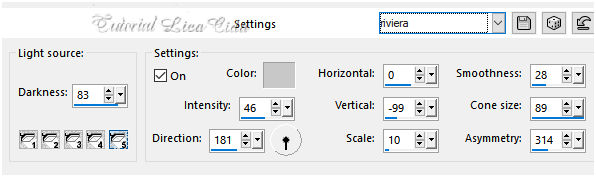
Preset: Preset_Lights_riviera --
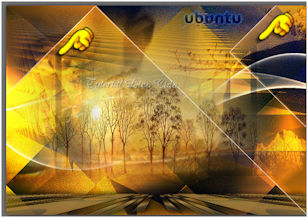
Imagem: imagem ubuntu-colhida net (colhida na net)
Tubes: nicole-afrique (1)
Masks: 65
Deco: decolc
Marca-d'água.
Versão usada: PSP X8.
PLUGINS
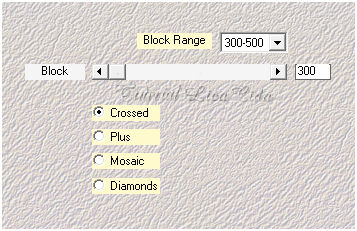
Plugin Mehdi → Sorting Tiles
TUTORIAL
Configure: Foreground: #5e5e5e
Background: #ce9f44
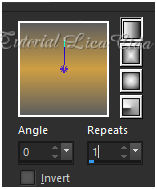
1_. Abra uma nova imagem transparente de 1000 x 700 px. Pinte com o gradiente formado pelas cores acima. Configure: Style: Linear — Angle: 0 — Repeats: 1 — Invert desmarcado.
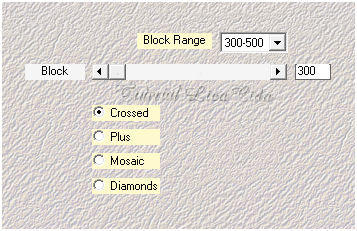
Layers → Duplicate. 2_. Plugin Mehdi → Sorting Tiles.
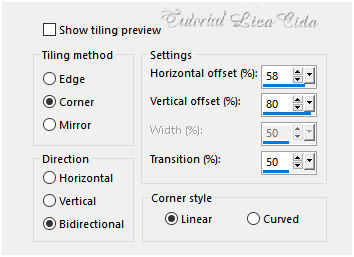
3_. Effects → Image Effects → Seamless Tiling.
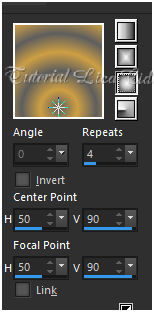
4_. Plugin Graphics Plus → Emboss: 10 / 10 / 10 / 0. 5_. Layers → New Raster Layer. Pinte com o gradiente formado pelas cores acima. Configure: Style: Sunburst — Repeats: 4 — Invert desmarcado — Center Point: H: 50 / V: 90 — Focal Point: H: 50 / V: 90.
6_. Plugin Mehdi → Sorting Tiles.
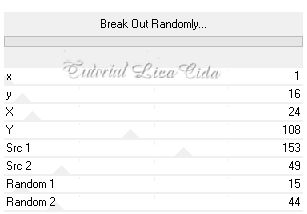
7_. Plugin Filters Unlimited 2 → Plugins AB 07 → Break Out Randomly.
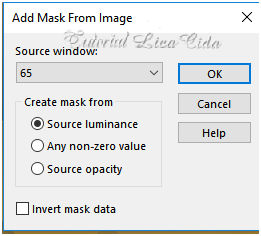
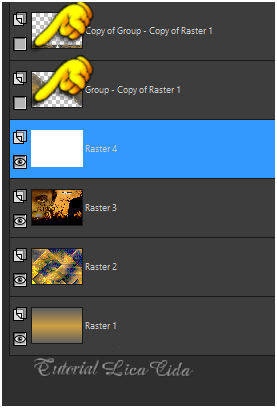
8_. Plugin Graphics Plus → Emboss: 10 / 10 / 10 / 0. 9_. Ative a Copy of Raster 1. Retire a visibilidade da Raster 2. Layers → New Mask Layer → From Image: 65.
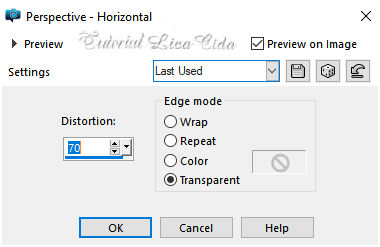
Layers → Merge → Merge Group. Effects → Geometric Effects → Perspective - Horizontal.
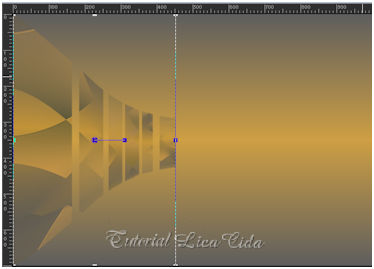
Effects → Distortion Effects → Pinch — Strength: 100%. View → Rulers. Reduza o efeito a 450 px.
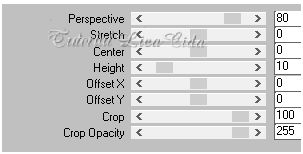
Layers → Duplicate. Image → Mirror → Mirror Horizontal. Layers → Merge → Merge Down. Effects → 3D Effects → Drop Shadow: 5 / 5 / 70 / 20,00 — Color: #000000. Repita com -5 / -5 / 70 / 20,00 — Color: #000000. View → Rulers: desative a régua. Layers → Arrange → Bring to Top. Layers → Duplicate. 10_. Plugin MuRa's Meister → Perspective Tiling.
Effects → 3D Effects → Drop Shadow: 5 / 5 / 70 / 20,00 — Color: #000000. Repita com -5 / -5 / 70 / 20,00 — Color: #000000. 11_. Ative novamente a visibilidade da Raster 2 e ative essa layer. Layers → New Raster Layer. Selections → Select All. Edit → Copy na imagem ubuntu-colhida net Edit → Paste Into Selection. Selections → Select None. Blend Mode: Soft Light. 12_. Plugin Graphics Plus → Emboss: 10 / 10 / 10 / 0. 13_. Layers → New Raster Layer. Pinte com a cor #ffffff (use no Foreground). Retire a visibilidade das duas layers superiores.
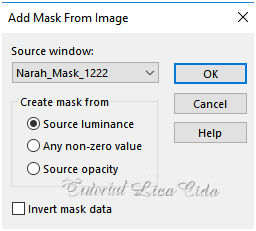
Layers → New Mask Layer → From Image: Narah_Mask_1222.
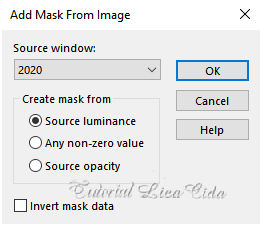
Layers → Merge → Merge Group. 14_. Plugin Graphics Plus → Emboss: 10 / 10 / 10 / 0. Ative novamente a visibilidade das duas layers superiores e ative a superior. 15_. Layers → New Raster Layer. Selections → Select All. Edit → Copy na nicole-mist-paysage7-2013 (1) Edit → Paste Into Selection. Selections → Select None. Layers → New Mask Layer → From Image: 2020.
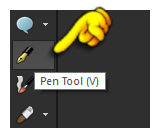
Layers → Merge → Merge Group. 16_. Layers → New Raster Layer (Raster 4). Selecione a ferramenta Pen Tool.
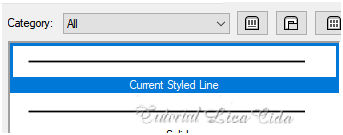
Escolha em Line Style:
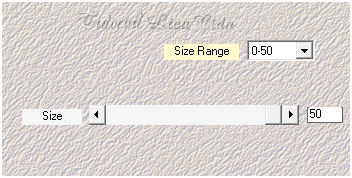
Configure como no print — Width: 2,00.
Trace como no modelo — Color: #ffffff (está no Foreground).
17_. Plugin Mehdi → Weaver.
18_. Ative a Raster 1. Adjust → Add/Remove Noise → JPEG Artifact Removal: Maximum — C: 80. Plugin FM Tile Tools → Blend Emboss. 19_. Effects → Illumination Effects → Lights → Preset_Lights_riviera.
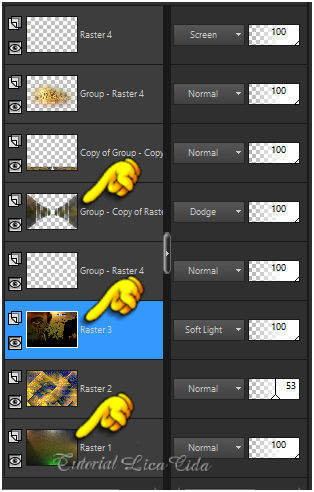
Repita nas layers marcadas. Observe os Blend Modes e a Opacity das layers.
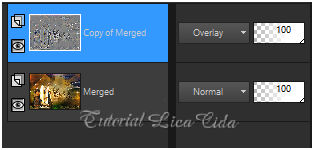
20_. Ative a Raster 3. Edit → Copy no decolc Edit → Paste As New Layer (forma a Raster 5). 21_. Ative a layer superior (Raster 4). Edit → Copy no tube nicole-afrique (1) Edit → Paste As New Layer. 22_. Plugin Alien Skin Eye Candy 5: Impact → Perspective Shadow — Settings: riviera. Image → Resize: 90% — Resize all layers desmarcado. Posicione como no modelo ou a gosto. Layers → Merge → Merge Visible. Layers → Duplicate. 23_. Effects → Edge Effects → High Pass — Radius: 10,00.
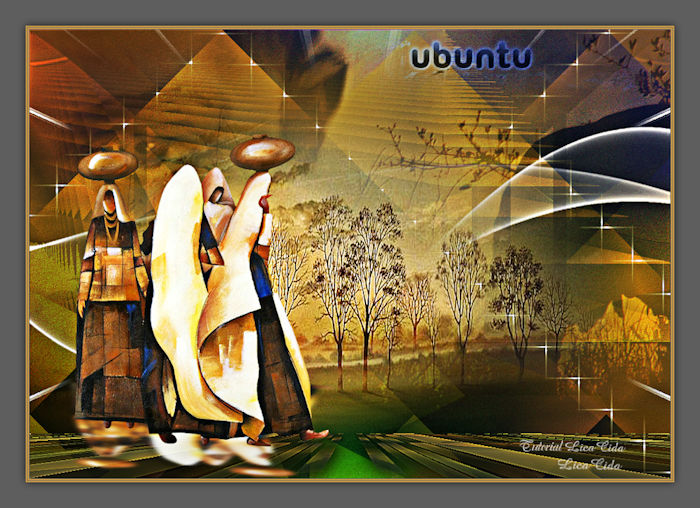
Acabamento a gosto! Image → Resize: Width: 1000 px. Aplique a marca-d'água. Assine e salve como JPG. Espero que gostem. Obrigada!
Aparecida / LicaCida, abril de 2019.
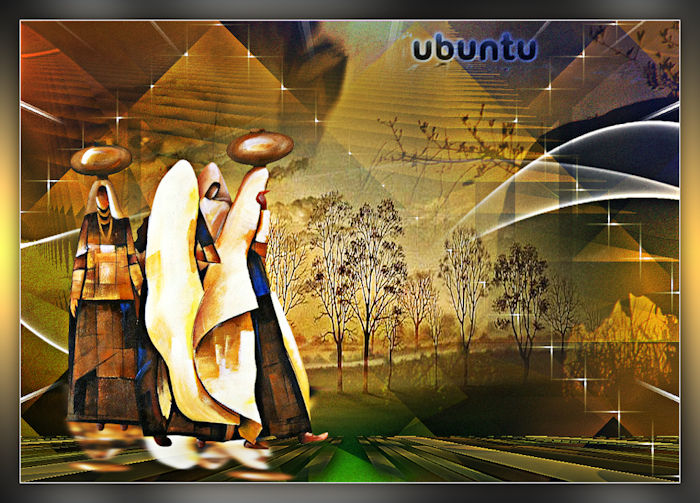
OUTRO MODELO
Copyright ©2026 - Web Design - Naise Minas |