|
Shed Light TRADUÇÕES
MATERIAL
Tubes: tube3166_mulher_mara_pontes
Decos: ildiko_create_0009free_deco_1
Back: back1 Brush: 28
Marca-d'água.
Versão usada: PSP X8.
PLUGINS
Plugin Mehdi → Wavy Lab
TUTORIAL
Configure: Foreground: #f6dee8 (clara) — Background: #7c7a78 (escura). 1_. Abra uma nova imagem transparente de 1000 x 700 px. Plugin Mehdi → Wavy Lab (as cores aparecerão normalmente).
Adjust → Blur → Gaussian Blur — Radius: 32,00. 2_. Layers → New Raster Layer. Plugin VanDerLee → UnPlugged-X → Rotocube: 40 / 0 — Color: #7c7a78 (usada no Background). Effects → Image Effects → Seamless Tiling.
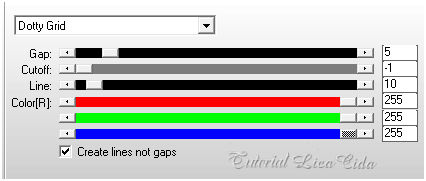
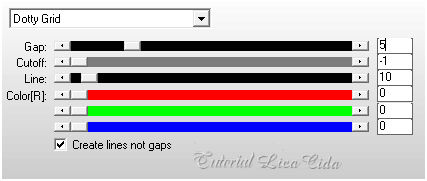
3_. Plugin AP [Lines] → Lines - SilverLining → Dotty Grid — Color: #ffffff.
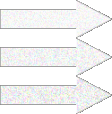
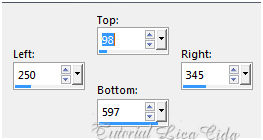
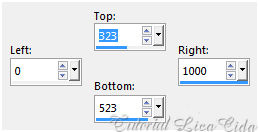
Adjust → Sharpness → Sharpen. 4_. Ative a Raster 1. Ative a ferramenta Selection Tool (tecla S) → Custom Selection 01.
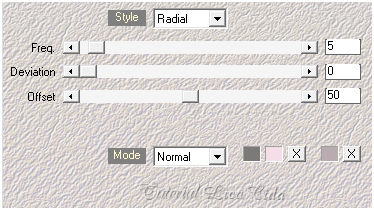
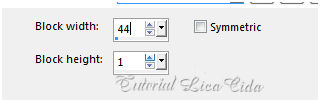
Selections → Promote Selection to Layer. Layers → Arrange → Bring to Top. Selections → Select None. 5_. Effects → Distortion Effects → Pixelate.
Adjust → Sharpness → Sharpen. Retire a sobra da seleção 01.
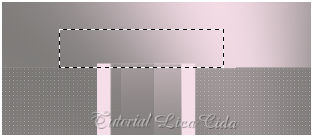
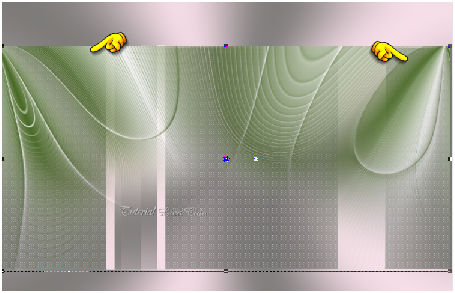
Effects → 3D Effects → Drop Shadow: 0 / 18 / 100 / 0 — Color: #f6dee8 (usada no Foreground). Repita: Effects → 3D Effects → Drop Shadow: 0 / -18 / 100 / 0 — Color: #f6dee8. Layers → Merge → Merge Down. Effects → 3D Effects → Drop Shadow: 0 / 0 / 60 / 30,00 — Color: #000000. 6_. Edit → Copy no ildiko_create_0009free_deco_1 Edit → Paste As New Layer. Com a ferramenta Pick Tool, acerte as laterais do efeito como mostra o print.
Effects → Image Effects → Offset: H: 0 / V: -2 — Custom e Transparent marcados. Adjust → Sharpness → Sharpen More. Layers → Arrange → Move Down. 7_. Ative a Raster 1. Ative a ferramenta Selection Tool (tecla S) → Custom Selection 02.
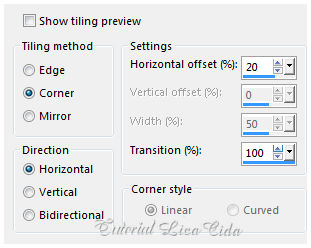
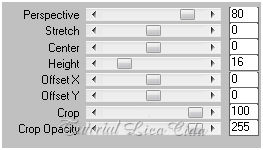
Selections → Promote Selection to Layer. Layers → Arrange → Bring to Top. Edit → Copy no ildiko@create0001_deco Edit → Paste Into Selection. Adjust → Sharpness → Sharpen More. Selections → Select None. Effects → 3D Effects → Drop Shadow: 0 / 0 / 60 / 30,00 — Color: #000000. 8_. Ative a Raster 1. Layers → Duplicate. Effects → Distortion Effects → Pixelate (print do item 5). Em seguida: Plugin MuRa's Meister → Perspective Tiling.
Layers → Arrange → Move Up (duas vezes). Effects → User Defined Filter → Emboss_3. 9_. Layers → New Raster Layer. Layers → Arrange → Send to Bottom. Selections → Select All. Edit → Copy no back1 Edit → Paste Into Selection. Selections → Select None. 10_. Ative a Raster 1. Plugin AP [Lines] → Lines - SilverLining → Dotty Grid — Color: #000000.
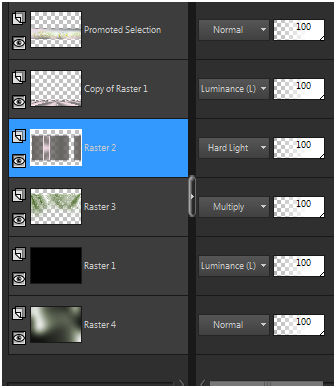
Adjust → Sharpness → Sharpen. Altere os Blend Modes e a Opacity das layers (use a gosto).
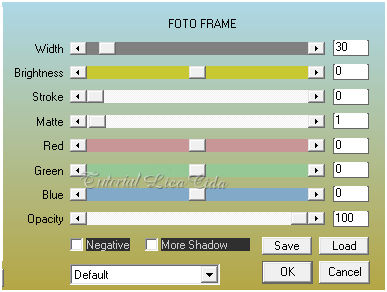
11_. Ative a Raster 2. Edit → Copy no deco1lc Edit → Paste As New Layer. Effects → Image Effects → Offset: H: -209 / V: 0 — Custom e Transparent marcados. Adjust → Sharpness → Sharpen More. 12_. Edit → Copy no deco2lc Edit → Paste As New Layer. Effects → Image Effects → Offset: H: 0 / V: 103 — Custom e Transparent marcados. Adjust → Sharpness → Sharpen More. 13_. Ative a layer superior. Edit → Copy no @ildiko_create_deco_free_014 (Raster 2) Edit → Paste As New Layer. Edit → Copy no @ildiko_create_deco_free_011 Edit → Paste As New Layer. Edit → Copy no brush 28 Edit → Paste As New Layer. Image → Resize: 80% — Resize all layers desmarcado. Use abaixo da Copy of Raster 1. Use a gosto. 14_. Duplique a layer inferior (Raster 4). Layers → Arrange → Bring to Top. Blend Mode: Overlay — Opacity: 77%. Opcional: Plugin AAA Filters → Custom → Landscape. Altere a Opacity da Raster 2 para 60%. 15_. Image → Add Borders: 1 px, Symmetric marcado — Color: #7c7a78 (Background, escura). Selections → Select All. Edit → Copy. Image → Add Borders: 40 px, Symmetric marcado — Color: #ffffff. Selections → Invert. Edit → Paste Into Selection. Adjust → Blur → Gaussian Blur — Radius: 32,00. Selections → Invert. Effects → 3D Effects → Drop Shadow: 0 / 0 / 60 / 30,00 — Color: #000000. Selections → Select None. 16_. Plugin AAA Frames.
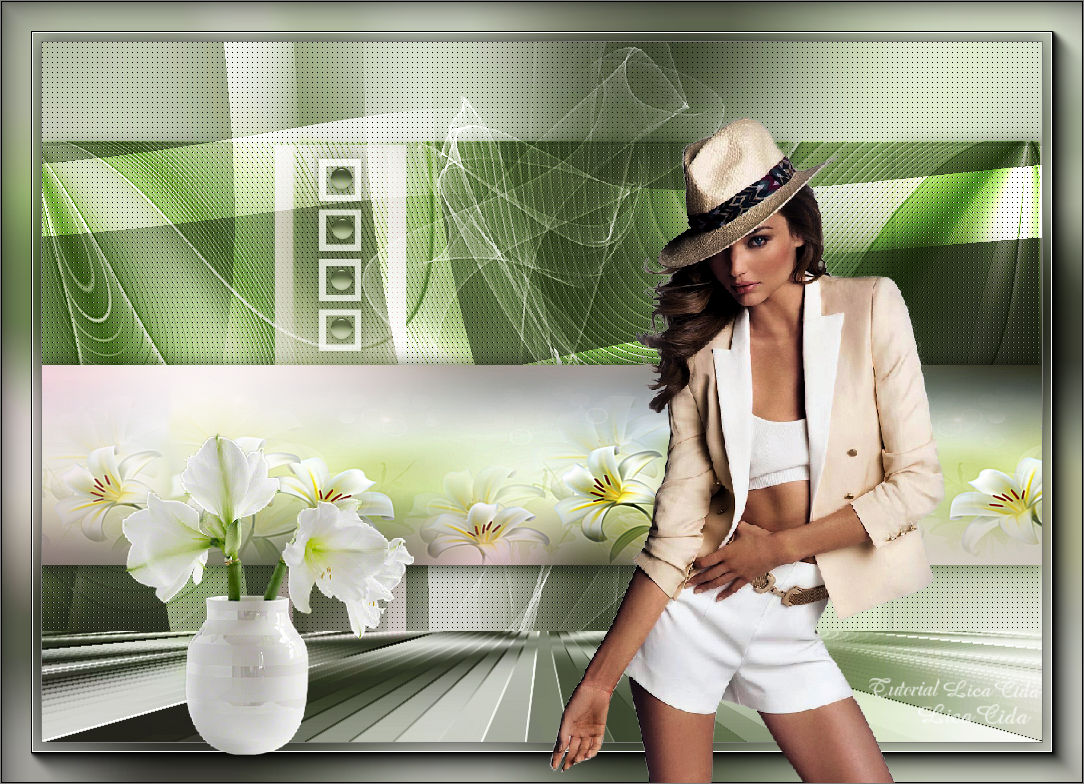
17_. Edit → Copy no tube3166_mulher_mara_pontes Edit → Paste As New Layer. Posicione. 18_. Edit → Copy no SvB Modern vaasje met amaryllis Edit → Paste As New Layer. Use a gosto. Image → Add Borders: 1 px, Symmetric marcado — Color: #7c7a78 (Background, escura). Aplique a marca-d'água. Assine e salve. Espero que gostem.
Aparecida / LicaCida, maio de 2017.
Copyright ©2026 - Web Design - Naise Minas |