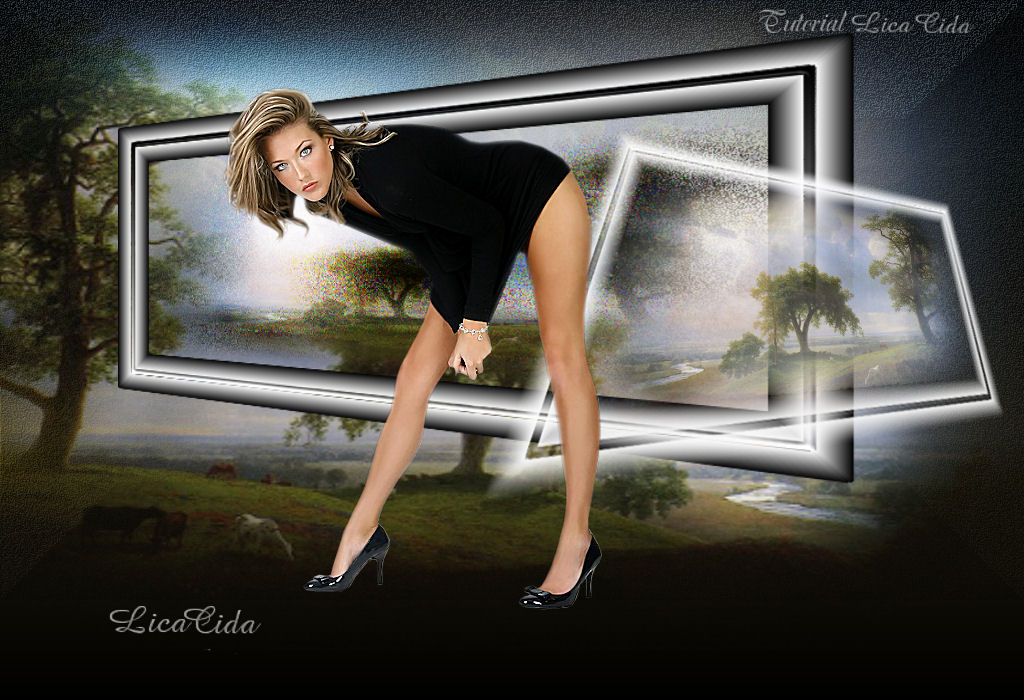
Regina

MATERIAL

Tubes: chg_16_26062010
1076-luzcristina
Imagem color #000000 anexada.
Marca D'água.
Efeitos do PSP.
Versão PSP X3.
PLUGINS
Plugin FM Tile Tools → Blend Emboss
Plugin Render → ButtonMaker Square
Plugin VanDerLee → UnPlugged-X
Plugin Nik Software → Color Efex Pro 3.0
TUTORIAL

|
Esta seta marca sua linha
Clique e arraste para movê-la
|
1_.
Abra a imagem color #000000 anexada.
(Delete a Raster 2.)
2_.
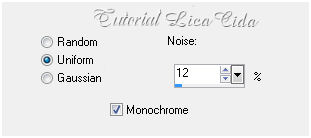
Adjust → Add/Remove Noise → Add Noise.
Uniform e Monochrome marcados — Noise: 12.
3_.
Plugin FM Tile Tools → Blend Emboss → Default.
4_.
Plugin Render → ButtonMaker Square.
5_.
Layers → New Raster Layer.
Selections → Select All.
Selections → Modify → Contract: 120 px.
6_.
Edit → Copy no tube paisagem 1076-luzcristina
Edit → Paste Into Selection.
7_.
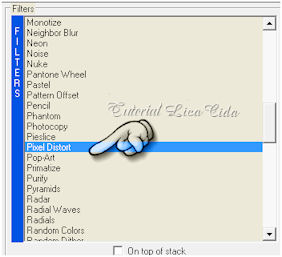
Plugin VanDerLee → UnPlugged-X.
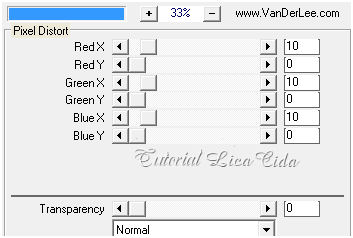
8_.
Selections → Modify → Select Selection Borders.
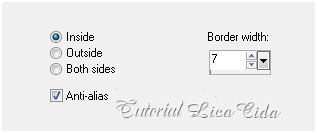
9_.
Layers → New Raster Layer.
Pinte com o gradiente formado pelas cores #ffffff e #000000.
Configure: Style: Linear — Angle: 0 — Repeats: 0 — Invert desmarcado.
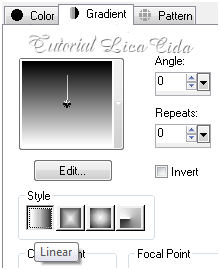
10_.
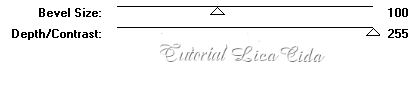
Effects → 3D Effects → Inner Bevel.
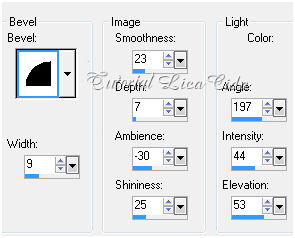
11_.
Effects → 3D Effects → Chisel.
Size: 25 — Solid color — Color: #ffffff.
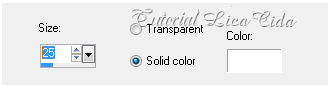
Selections → Select None.
Layers → Merge → Merge Down.
12_.
Effects → Geometric Effects → Perspective - Horizontal.
Distortion: -50 — Transparent marcado.
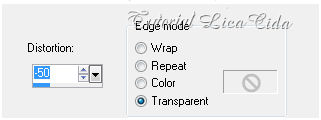
Com a ferramenta Pick, acerte como no modelo.
(Não modifica o efeito; medidas um pouco diferentes.)
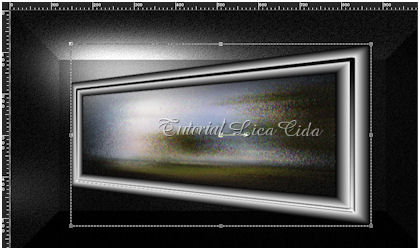
Layers → Duplicate.
Image → Mirror.
13_.
Effects → Geometric Effects → Perspective - Vertical.
Distortion: 52 — Transparent marcado.
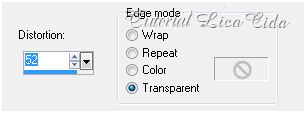
Image → Resize 80%.
14_.
Image → Free Rotate.
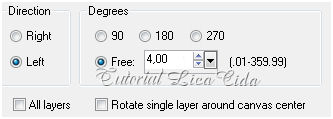
Blend Mode: Screen.
Image → Flip.
15_.
Effects → Image Effects → Offset: H: 244 / V: -89.
16_.
Ative a Raster 1.
Aplique uma Mask Gradiente.
Layers → Merge → Merge Group.
17_.
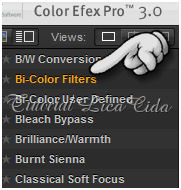
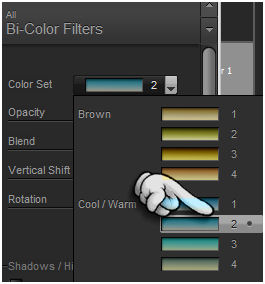
Plugin Nik Software → Color Efex Pro 3.0.
Cool/Warm.
18_.
Image → Canvas Size: 1024 x 700 — Bottom: 100.
19_.
Layers → New Raster Layer.
Layers → Arrange → Send to Bottom.
Pinte com o gradiente formado pelas cores #51461f e #000000.
Configure: Style: Linear — Angle: 0 — Repeats: 0 — Invert marcado.
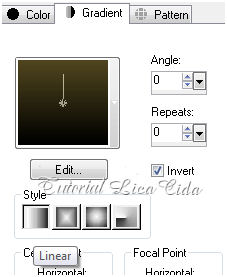
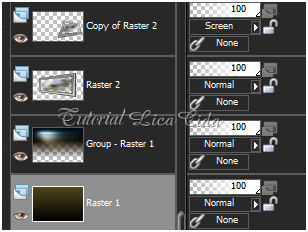
Layers:
20_.
Ative a Group - Raster 1.
Layers → New Raster Layer.
Edit → Copy no tube paisagem 1076-luzcristina
Edit → Paste Into Selection.
Acomode.
Ative a layer superior.
21_.
Edit → Copy no tube chg_16_26062010
Edit → Paste As New Layer.
Aplique a Marca D'água.
Assine e salve.
Aparecida / LicaCida, em setembro de 2012.
Rio de Janeiro - Brasil.

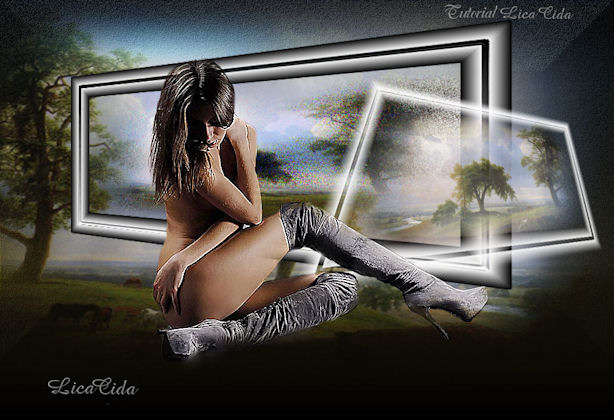
OUTRO EXEMPLO
Tube: 004dworisch008

VOLTAR
Copyright ©2020/2025 -
Web Design -
Liriani Silva®

