|
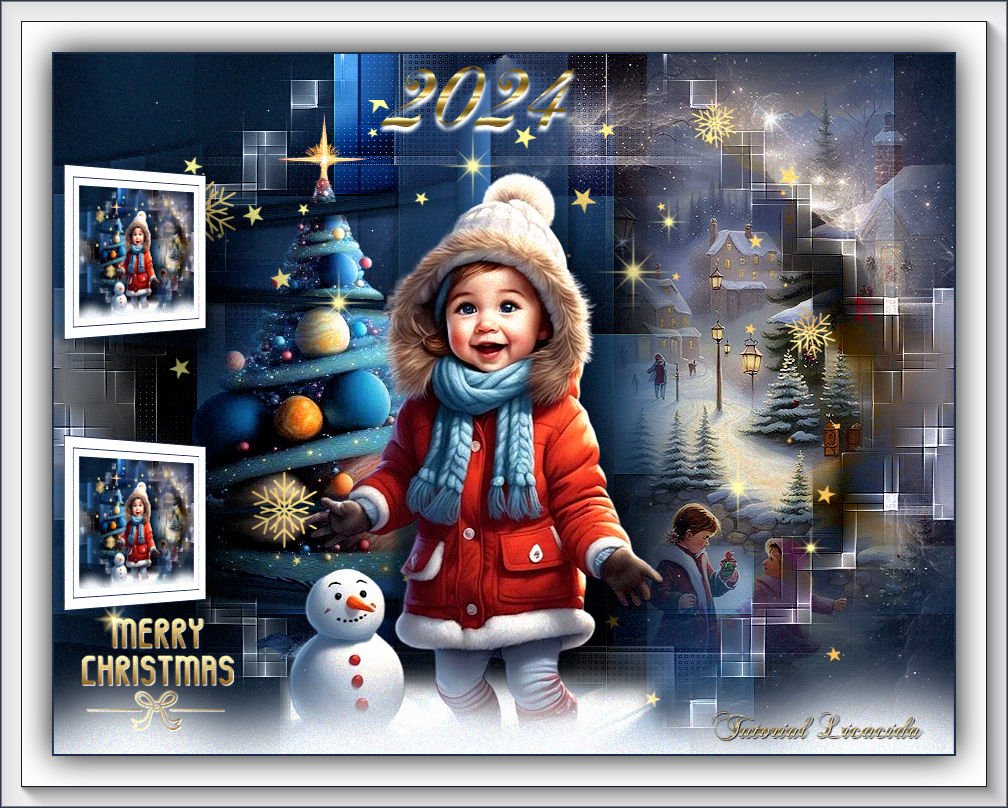
Merry Christmas 2024
TRADUÇÕES

MATERIAL

Tubes: Renee-TUBES- NOel-2023-55
Renee-TUBES-Noel-2021- Divers-tubes2
Renee-TUBES-Noel-2023-2-4
EMA_Misted winter tafereel 2_10112024
Decor: decor1-mp
decor2-lc
decor3-lc
decor4-mp
space_hole_by_paulinemoss-d71vqf6
Título: 2024
Marca-d'água.
Efeitos do PSP.
Versão usada: PSP 2020.
PLUGINS
Plugin MuRa's Meister → Cloud
Plugin Carolaine and Sensibility → CS-Reflection
Plugin Carolaine and Sensibility → CS-LDots
Plugin Mehdi → Sorting Tiles
Plugin Filters Unlimited 2 → Buttons & Frames → 3D Glass Frame 3
Plugin Andromeda → Perspective
Plugin AAA Frames → Foto Frame
TUTORIAL
|
Esta seta marca sua linha
Clique e arraste para movê-la
|
|
1_.
Abra o material no PSP, duplique e feche o original.
2_.
Escolha duas cores para trabalhar: Foreground: #29364f — Background: #4180b7.
3_.
Abra o decor1-mp.
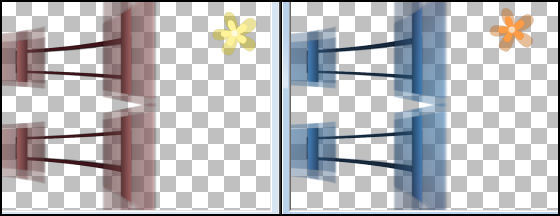
Se desejar mudar a cor, use a ferramenta Change to Target.
Configure:

4_.
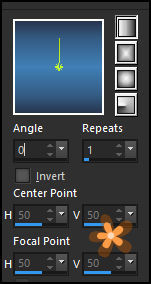
Forme um gradiente Linear com as cores em uso e aplique o Change to Target.
Configure: Style: Linear — Angle: 0 — Repeats: 1 — Invert desmarcado.
5_.
Layers → New Raster Layer.
Pinte com o gradiente Linear formado acima.
Layers → Arrange → Send to Bottom.
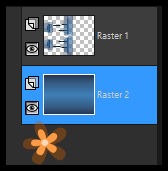
6_.
Ative a Raster 1.
Effects → 3D Effects → Drop Shadow: 5 / 5 / 50 / 5,00 — Color: #000000.
Repita com os valores negativos: -5 / -5.
7_.
Ative a Raster 2.
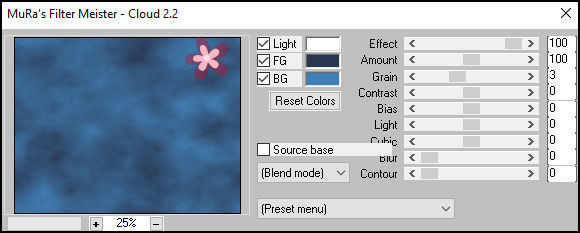
Plugin MuRa's Meister → Cloud.
8_.
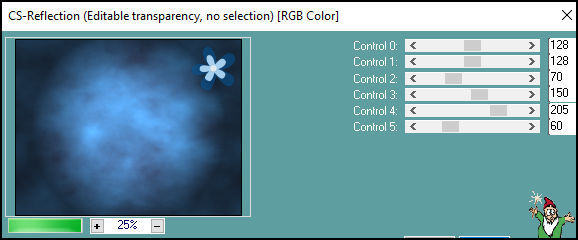
Plugin Carolaine and Sensibility → CS-Reflection.
9_.
Plugin Mehdi → Sorting Tiles.
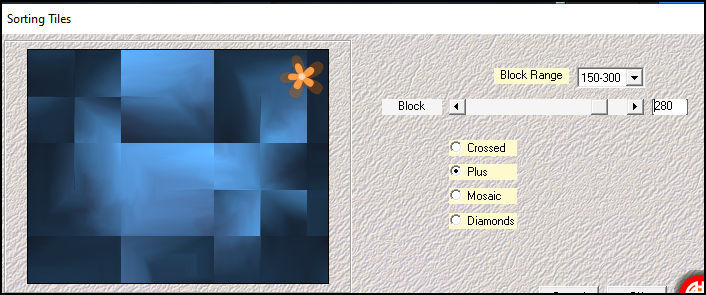
Effects → Edge Effects → Enhance.
Layers → Duplicate.
10_.
Plugin Filters Unlimited 2 → Buttons & Frames → 3D Glass Frame 3.
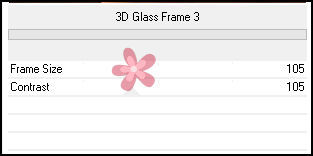
11_.
Ative a ferramenta Selection Tool (tecla S) → Custom Selection.
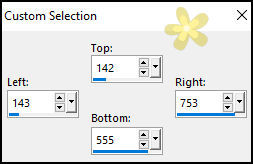
Pressione a tecla Delete.
Selections → Select None.
12_.
Effects → Image Effects → Seamless Tiling — Default.
13_.
Plugin Carolaine and Sensibility → CS-LDots.
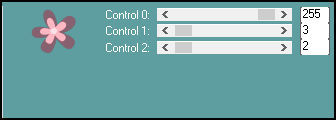
Blend Mode: Multiply — Opacity: 100%.
14_.
Edit → Copy no decor2-lc
Edit → Paste As New Layer.
Blend Mode: Luminance (L) — Opacity: 100%.
15_.
Ative a Raster 3.
Edit → Copy no EMA_Misted winter tafereel 2_10112024
Edit → Paste As New Layer.
Objects → Align → Right.
Adjust → One Step Photo Fix.
Adjust → Sharpness → Sharpen.
Posicione o misted a gosto.
16_.
Edit → Copy no space_hole_by_paulinemoss-d71vqf6
Edit → Paste As New Layer.
Adjust → One Step Photo Fix.
Use a gosto.
17_.
Edit → Copy no tube Renee-TUBES-Noel-2023-2-4
Edit → Paste As New Layer.
Feche a visibilidade da Raster 1 para posicionar como no modelo.
Adjust → One Step Photo Fix.
Ative novamente a visibilidade da Raster 1.
18_.
Edit → Copy no decor4-mp
Edit → Paste As New Layer.
Blend Mode: Luminance (L) — Opacity: 100%.
Adjust → Sharpness → Sharpen.
Use abaixo da Raster 6.
LAYERS
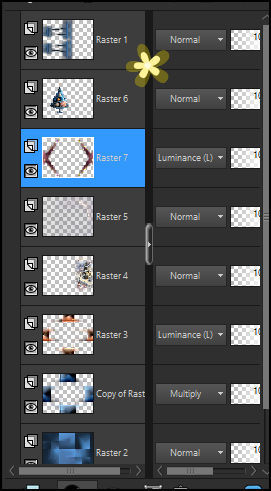
19_.
Edit → Copy no Renee-TUBES-Noel-2021- Divers-tubes2 (layer ETOILES)
Edit → Paste As New Layer.
Layers → Arrange → Bring to Top.
20_.
Edit → Copy no Renee-TUBES-Noel-2021- Divers-tubes2 (layer DECOS)
Edit → Paste As New Layer.
21_.
Edit → Copy no tube Renee-TUBES- NOel-2023-55
Edit → Paste As New Layer.
Image → Resize: 80% — Resize all layers desmarcado.
Posicione e use a gosto.
OBSERVAÇÃO
Use o Drop Shadow nos efeitos que achar necessário, a gosto!
22_.
Edit → Copy no decor3-lc
Edit → Paste As New Layer.
Objects → Align → Bottom.
Abaixe um pouco o efeito.
23_.
Ative a layer do topo.
Edit → Copy Special → Copy Merged.
Edit → Paste As New Image.
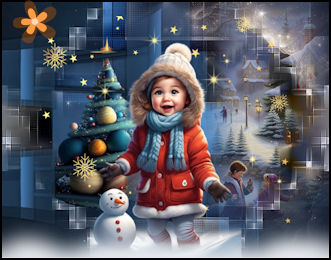
Vamos trabalhar essa imagem.
24_.
Image → Resize: 18% — Resize all layers marcado.
25_.
Image → Add Borders: 18 px, Symmetric marcado — Color: #ffffff.
26_.
Selections → Select All.
Selections → Modify → Contract: 10 px.
27_.
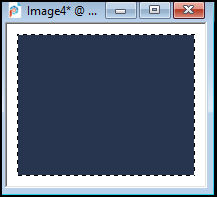
Layers → New Raster Layer.
Pinte com a cor escura.
28_.
Selections → Modify → Contract: 1 px.
Pressione a tecla Delete.
Selections → Select None.
Image → Add Borders: 1 px, Symmetric marcado — Color: cor escura.
29_.
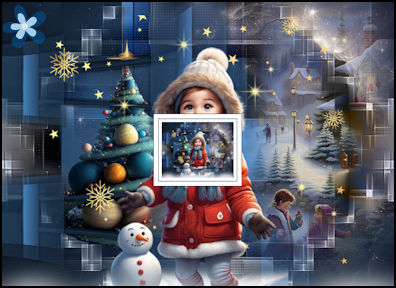
Edit → Copy (copie a imagem formada).
Retorne ao seu trabalho.
Edit → Paste As New Layer.
30_.
Plugin Andromeda → Perspective.
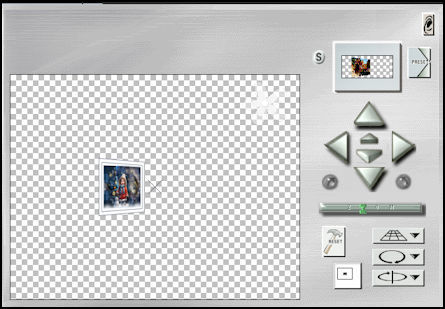
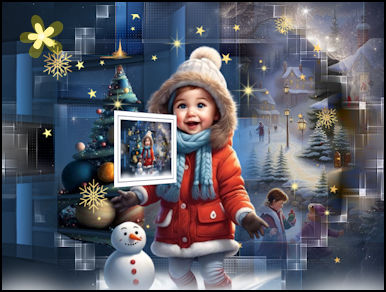
31_.
Com a ferramenta Pick Tool, posicione: Position X: 11,00 — Position Y: 105,00.
Layers → Duplicate.
32_.
Com a ferramenta Pick Tool, posicione: Position X: 11,00 — Position Y: 361,00.
33_.
Edit → Copy no Renee-TUBES-Noel-2021- Divers-tubes2 (layer MERRY CHRISTMAS)
Edit → Paste As New Layer.
Effects → 3D Effects → Drop Shadow: 1 / 1 / 100 / 1,00 — Color: #000000 e/ou #ffffff.
Use a gosto.
BORDAS
Image → Add Borders: 2 px, Symmetric marcado — Color: cor escura.
Selections → Select All.
Image → Add Borders: 30 px, Symmetric marcado — Color: #ffffff.
Image → Add Borders: 1 px, Symmetric marcado — Color: cor escura.
Image → Add Borders: 20 px, Symmetric marcado — Color: #ffffff.
Effects → 3D Effects → Drop Shadow: 0 / 0 / 100 / 50,00 — Color: #000000.
Selections → Select None.
34_.
Plugin AAA Frames → Foto Frame.
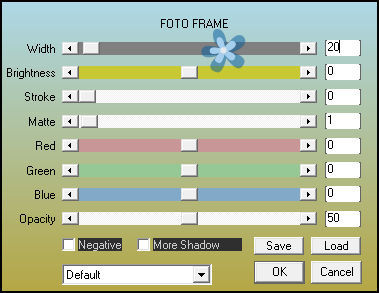
Aplique a marca-d'água.
Assine e salve.
File → Export → JPEG Optimizer.
Aparecida / LicaCida, dezembro de 2024.
Rio de Janeiro - Brasil.

VOLTAR
Copyright ©2026 - Web Design - Naise Minas
|
