|
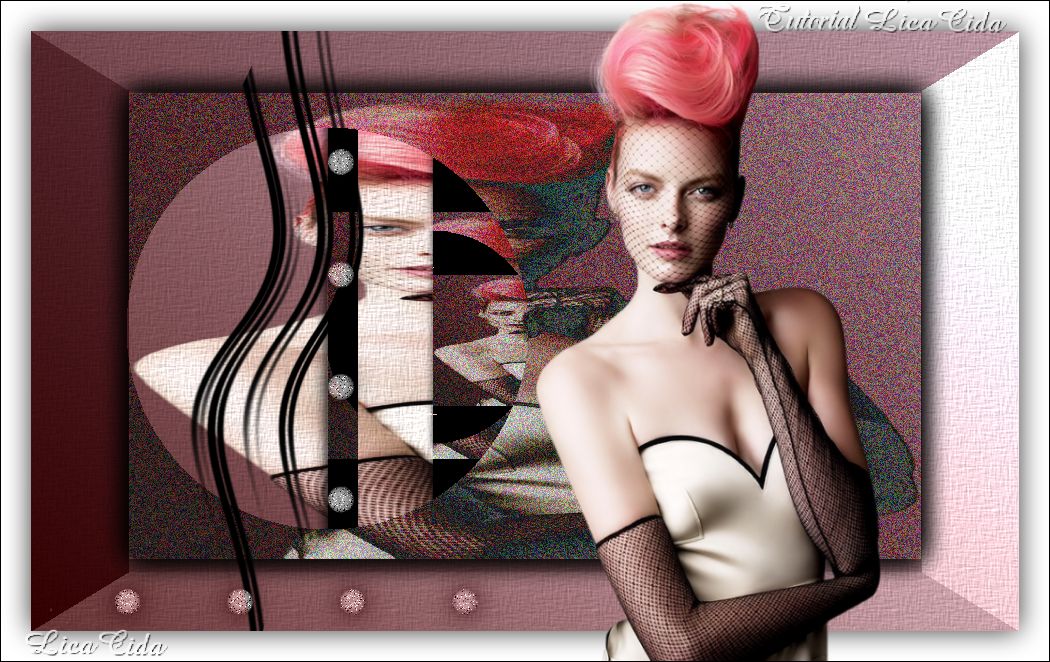
Hair Fire
TRADUÇÕES

MATERIAL

Script: darklica --
Salvar na pasta Scripts-Restricted do PSP.
Tube: TubeNaraPamplona 1441
Elementos: deco1-arquivonet
deco2-arquivonet
Marca-d'água.
Efeitos do PSP.
Versão usada: PSP X6.
PLUGINS
Plugin FFG G Beve1
Plugin AFS Import → Difinoise
Plugin VanDerLee → UnPlugged-X → Zoomlens
TUTORIAL

|
Esta seta marca sua linha
Clique e arraste para movê-la
|
|
1_.
Abra uma nova imagem transparente de 988 x 600 px.
Pinte com o gradiente formado pelas cores #552324 e #e6c1ce.
Configure: Style: Linear — Angle: 45 — Repeats: 0 — Invert desmarcado.

2_.
Plugin FFG G Beve1 → Default (51 / 24 / 53).
3_.
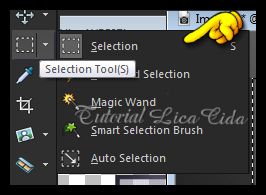
Com a ferramenta Selection Tool, selecione o efeito formado.
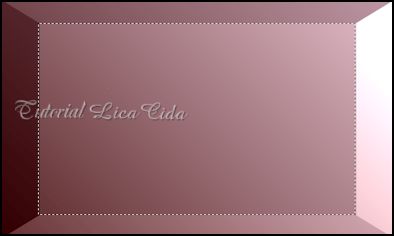
Edit → Copy no TubeNaraPamplona 1441
Edit → Paste Into Selection.
4_.
Selections → Promote Selection to Layer.
Effects → 3D Effects → Drop Shadow: 0 / 0 / 80 / 40 — Color: #000000.
Repita o Drop Shadow.
5_.
Plugin AFS Import → Difinoise → Default (128 / 0 / 0 / 0 / 0 / 0 / 0 / 0).
Selections → Select None.
6_.
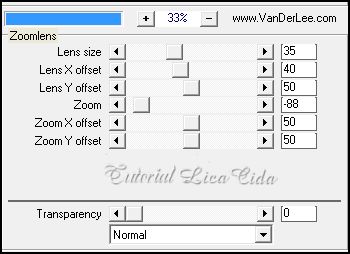
Plugin VanDerLee → UnPlugged-X → Zoomlens.
7_.
Repita o Plugin VanDerLee → UnPlugged-X → Zoomlens, com os mesmos valores.
8_.
Layers → New Raster Layer.
Execute o Script darklica.
Image → Mirror.
9_.
Image → Negative Image.
10_.
Effects → Distortion Effects → Pinch: 100.
11_.
Effects → Image Effects → Offset: -184 / 0.
12_.
Edit → Copy no elemento deco1-arquivonet
Edit → Paste As New Layer.
Blend Mode: Luminance (L).
13_.
Effects → Image Effects → Offset: -184 / 0.
14_.
Edit → Copy no elemento deco2-arquivonet
Edit → Paste As New Layer.
Blend Mode: Luminance (L).
Use a gosto.

15_.
Ative a Raster 1.
Effects → Texture Effects → Texture.

16_.
Image → Add Borders: 30 px, Symmetric marcado — Color: #ffffff.
Selecione a borda.
Selections → Invert.
17_.
Effects → 3D Effects → Drop Shadow: 0 / 0 / 80 / 40 — Color: #000000.
Selections → Select None.
18_.
Edit → Copy no TubeNaraPamplona 1441
Edit → Paste As New Layer.
Posicione.
19_.
Image → Add Borders: 1 px, Symmetric marcado — Color: #000000.
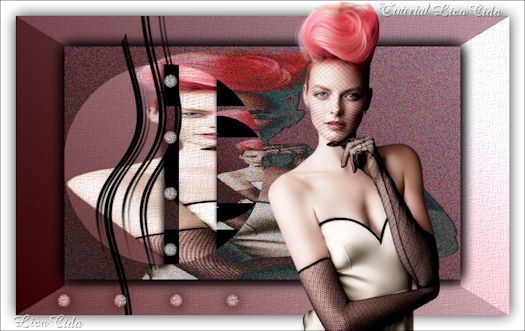
Aplique a marca-d'água.
Assine e salve como JPG.
Espero que gostem.
Aparecida / LicaCida, maio de 2014.
Rio de Janeiro - Brasil.


VOLTAR
Copyright ©2026 - Web Design - Naise Minas
|


